Upgrades Windows Upgrade
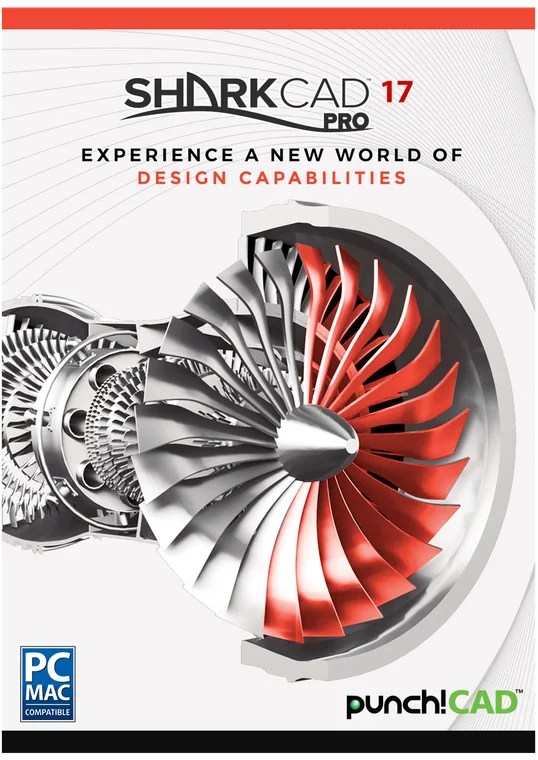
SharkCAD 17 Pro upgrade
SharkCAD 17 Pro Upgrade for Windows — from ViaCAD Pro, last 5 years
Take a bite out of your competition.
- Instant download and licence key by email
- 30-day refund on unactivated licences
- 12 months of support included
Overview
Take a bite out of your competition.
Built for engineering and design professionals. Whether you are building model airplanes or real ones, SharkCAD Pro gives you 2D drafting, 3D solid and mesh modelling, high-end surfacing, photoreal rendering and native MCAD file exchange — from small-scale prototyping to large-scale manufacturing.
This is the SharkCAD 17 Pro upgrade for Windows, priced for customers upgrading from ViaCAD Pro, last 5 years. You get the full current edition with 12 months of support.
Made for
- Mechanical engineering
- Aerospace & automotive parts
- Industrial design
- Assemblies & clash checks
- Sheet metal
- Product & packaging
- CAD to CNC
- Prototyping
- Supplier file exchange
- Technical illustration
What this edition adds
Everything in SharkCAD 17, plus:
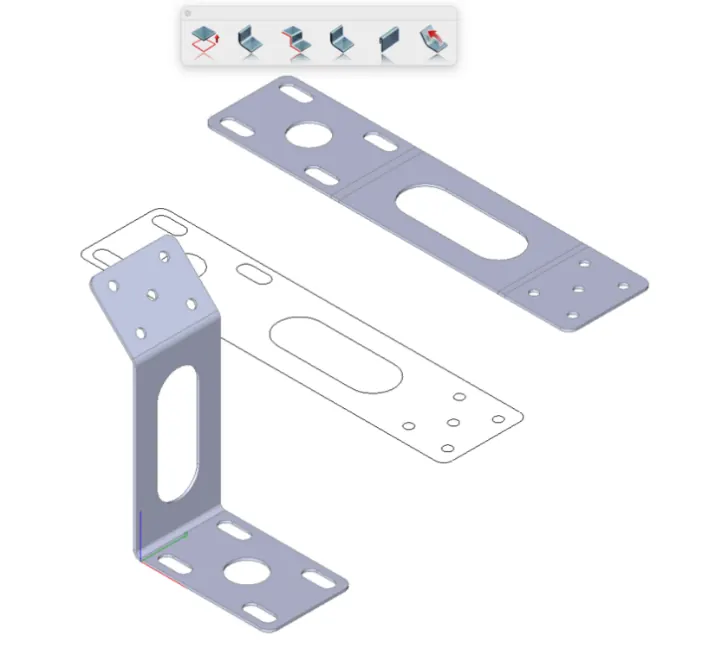
Flatten sheet metal designs for manufacturing.
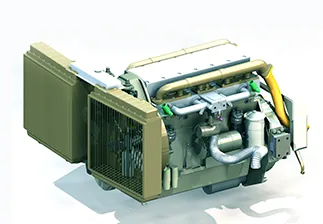
Identify interferences between components in assemblies.
Create surfaces guided by reference curves.
Add flanges to sheet metal parts for connections.
Smooth curvature-continuous blends for high-end surfaces.
Generate surfaces between profiles with guide curves.
Add structural ribs or lips to plastic parts.
Create surfaces from multiple guide curves.
Blend three adjacent faces seamlessly.
Fine-tune surface blends with control points.
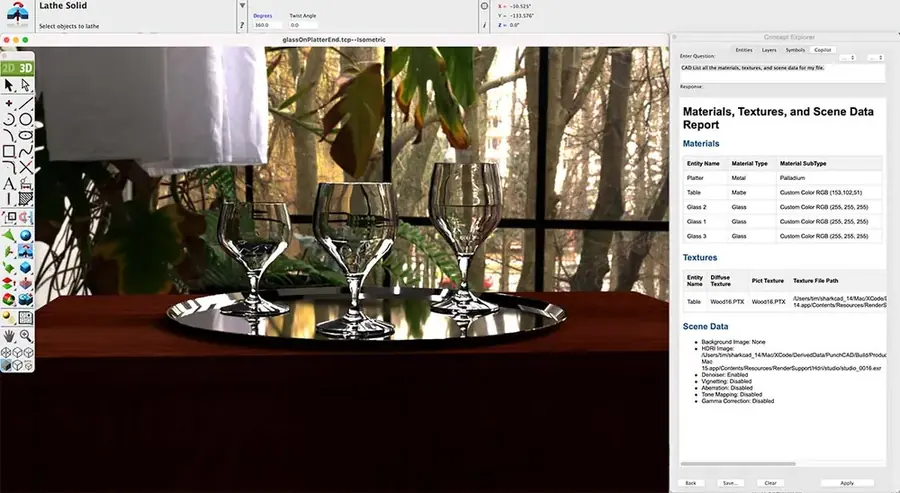
Real-time viewport rendering with lighting and shadows.
Customizable light sources for studio-quality renders.
Every feature in this edition
Compare with the other editionsPerformance1
- 64-bit Compatible
2D Drafting & Annotations13
- 26 Dimension Types
- 250+ Drafting Tools
- 2D Dimensional and Geometric Constraints
- Angular Tolerance
- Best Fit Line and Circle
- Bill of Materials
- CutList BOMs
- BOM NotesNew
- Conic Tools
- Duplicate Layer Command
- Precise Model to Sheet - for automatic 2D Drawing Generation
- Save Layers with Views
- Delete Duplicates Supports PolygonsNew
Advanced Drafting9
- Auto 3D to 2D (Polylines)
- Auto 3D to 2D (Precise)
- Curves
- Section/Detail/Auxiliary Views
- File Referencing
- GD&T
- Markup and Redline
- Simplify Curve Tool
- Arc Slot Polygon Tool
AI-Assisted Features5
- Copilot Help (30-day trial included)
- Copilot ProfessionalCopilot Pro
- Copilot RenderCopilot Pro
- Copilot Mechanical Parts & CAD Content LibraryCopilot Pro
- Part Creator (AI-Powered)Copilot Pro
UI & Usability25
- Modernized User Interface
- Support for Dark Theme
- Intelligent Snap Cursor
- Part Tree
- Gripper tool – for transforming objects
- Inspector
- Navigator
- Customizable Tool Palettes
- Customizable Grids
- Custom tool palettes in flexible grid layouts
- Multilingual Support
- Video Tutorials15
- 3D Connexion Mouse Support
- Draw View Type - for easily scaled Prints
- Drawing Wizard
- Open Backup
- Print by Layer tool
- Print Window
- Print Large Plot Sizes
- Repeat Previous Command
- Save for Review
- Selection Tools - Lasso, Feature, Mesh
- Tool Icon Sizing
- User Guide
- Viewport Layouts
Architectural Tools6
- Doors
- Make 3D
- Roofs
- Slabs
- Walls, Multi-Walls
- Windows
3D Modeling Tools17
- ACIS® Solid Modeling Kernel
- Basic Solids
- Basic Surfaces
- Mesh Booleans
- Move Face
- Push/Pull Modeling
- Shelling, Blending
- Show/Hide Face
- Split Mesh
- Center Line SkinNew
- Weight and Volume Tables
- Sheet Metal Tools (Base,Flange,Contour Flange,Partial Flange,Hem,Rolled Hem,Unbend)
- Sheet Unfold
- Clash Detection
- Compare Parts
- Gear
- Explode
Advanced 3D Modeling37
- Add Loop Tool
- Advanced Surface Tools
- Bending Along Curve
- Boolean Edge Treatments
- Bridge Tool
- Cover Surface with Guides
- Cylinder SubD Primitive
- Deformations
- Draft Surfaces
- Fill Hole
- Flanges
- G2 Continuous Edge Blending
- Infinite Plane Objects
- Inset Quad Mesh Modifier
- Lofting with Guides
- Magnet Tool
- Mesh Symmetry
- MicroScribe Digitizer
- Pipe Cross SectionsNew
- Pocket Hole for Woodworking
- PowerPack Design and 3D Printing Tools
- Quad Mesh Tools
- Repair Curves
- Rib/Lip Feature
- Skin Surface with Guides
- Subdivision Tool
- Surface Booleans
- Surface Extend
- Surface Analysis
- Surface Lofting
- Surface Utilities – including Cut Section, Curved Surface and Explode Curve
- Tangent Covers
- Three Face Blends
- Thumbweight Blending
- Trim/Join Surface
- Woodworking Joint Tools
- Wrap - Imprint, Emboss, Engrave
Rendering, Presentation and Visualization17
- Data Display
- Environment Maps
- HDRI Support
- KeyShot Rendering Live Linking
- Material, Decal Library
- Wood Materials
- OpenGL Rendering
- OpenGL Materials/Textures
- Carbon Fiber TexturesNew
- Photorender Spot Light
- Poster Size File Export
- QuickTime Video Recorder
- Rapid Render Tool for Woods
- Ray Tracing, Shadows, Transparency
- Special Lighting Effects
- Strip, Dome and Area lights
- Studio BackgroundsNew
Animation3
- Object Time Lines/Paths
- Panoramic & Object Virtual Reality
- Walk Through, Flyby
3D Printing9
- Auto Position
- Overhang Analysis
- Preview Slices
- Printer Definitions
- Sample STL files
- Show Printer Volume
- Support Structure
- Surface Normals Check
- Wall Thickness
Translators19
- Advanced MCAD Native Translators*
- 2D PDF Import
- 3D PDF Export
- 3MF Import/Export
- ACIS® R25 Kernel
- Adobe Illustrator™
- Batch File Converter
- Batch Export Single Parts from Multi-Part Files
- BMP Import
- Collada (DAE) Import
- DXF/DWG (supports latest Version)
- IGES, STEP, SAT
- OBJ Import/Export - with Texture support
- Rhino™ 3D Import
- SAB Export
- SketchUp Import/Export (supports latest Version)
- STL Import/Export
- SVG Import/Export
- XREF Management
Other Features4
- 2D/3D Part Library: 25,000
- ISO Part Library
- Part Creator (AI-Powered)Copilot Pro
- Multiple ViewPorts (Draw Views)
New in version 17
What’s new
Concept renderings from plain-language prompts, over 2D or 3D, geometry untouched.
770,000+ ANSI, ISO and DIN parts, searched in plain words.
Sweep ordered closed profiles along a centreline for pipes, rails and housings.
Rounded rectangle, N-sided and coil profiles that stay associative to the path.
Notes, description, function, materials and references on every part — and Copilot reads them.
Reference big assemblies at up to 10× less memory; attach a whole folder of parts.
6 carbon-fibre textures, 8 woods and 6 studio backgrounds.
Scalable SVG icons and a reworked light and dark mode.
File formats
Open it, share it, print it.
- 3D PDFexport
- 3D Studioimport · export
- 3MFimport · export
- ACIS SABimport · export
- ACIS SATimport · export
- Adobe Illustrator 8 (EPS)import · export
- Adobe Illustrator 9 (PDF)import
- Adobe PhotoShopimport
- BMPimport · export
- CATIA v4import · export
- CGMexport
- DAEimport
- DWG/DXFimport · export
- EPSimport · export
- Facetimport · export
- FACTimport · export
- GIFimport · export
- Grid Surfaceimport
- IGESimport · export
- JPGimport · export
- PDF 2Dimport · export
- PICTimport
- Plyimport
- PNGimport · export
- Pro-Eimport
- RAWexport
- Rhino 3DMimport
- SketchUpimport · export
- Splineimport
- STEPimport · export
- STLimport · export
- SVGimport · export
- Textimport · export
- TIFFimport · export
- Truespace COBimport
- TurboCADimport · export
- VDAimport · export
- VRMLexport
- Wavefront OBJimport · export
System requirements
Runs on
| OS | Windows 7, 8, 10 or 11, 64-bit |
|---|---|
| Processor | Pentium IV / Athlon64-class or newer |
| Memory | 8 GB (16 GB recommended) |
| Disk | 3 GB free (SSD recommended) |
| Graphics | OpenGL / DirectX 9, 256 MB |
| Internet | For activation, updates and term licences |
| OS | macOS 11 Big Sur to macOS 26 Tahoe |
|---|---|
| Processor | Intel or Apple Silicon (M1 and newer) |
| Memory | 8 GB (16 GB recommended) |
| Disk | 4 GB free (SSD recommended) |
| Input | Wheel mouse or 3Dconnexion SpaceMouse |
| Internet | For activation, updates and term licences |
Licensing
Plain-language licensing
Questions
Before you buy
How do I get my software?
Does one licence cover Windows and Mac?
What is the difference between owning it and a term licence?
What is Copilot Help, and is it included?
What is your refund policy?
Goes well with